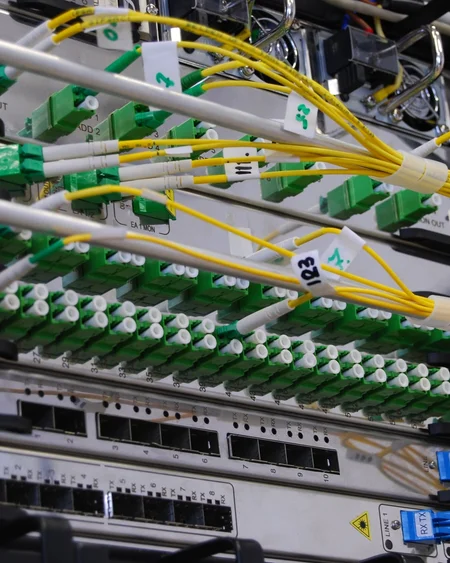
Redundant components help during maintenance only if load and connections can actually move. Before an update, check what can continue on the remaining infrastructure. Where interruption is necessary, include it in an agreed maintenance window.
Prepare
Check versions, dependencies and spare capacity
Implement
Update components in an agreed order
Accept
Check functionality and restored redundancy
Check compatibility before the maintenance window
Hypervisors, storage, networking and backup each have their own versions and compatibility requirements. Check the planned combination against vendor documentation. A new version may require changes to drivers, firmware or backup software. Record which combination was tested beforehand.
When the next node must wait
The agreed redundancy must be restored after the update. A reachable host alone is not approval to proceed to the next one.
Example: maintaining a Proxmox cluster
- Is quorum present?
pvecm status shows the quorum state. “Quorate: Yes” confirms neither spare capacity nor working storage paths.
- Are data and paths fully available?
Check replication, Ceph recovery where applicable, and the expected SAN paths. Resolve outstanding faults before the next maintenance step makes them worse.
- Can the remaining hosts carry the load?
Check RAM, CPU load and I/O under the redistributed workload. Test a representative application transaction, not just the VM console.
DECISION POINTIf degradation remains unexplained, keep the next node in service. Record deviations and the decision to continue in the maintenance log.
Check quorum: read-only status query
Run on a Proxmox cluster node using authorised administrative access. This query makes no changes. Do not change quorum values as a shortcut to maintenance approval.
pvecm statusPrepare stop criteria and recovery
Define which faults stop maintenance and who decides. Back up the required configurations. A version change cannot always be rolled back. Check the supported return path or plan a recovery, including the time needed.
Close only after functional checks
Check services, connections, monitoring and restored redundancy. Also check the next backup runs. Document new versions and deviations so the team can assess the environment reliably before the next intervention.
Questions to resolve
- Is the planned version combination supported?
- Can the remaining environment carry the required load?
- Are the maintenance window, stop criteria and responsibilities agreed?
- Who checks applications, backups and redundancy after the change?