More time for applications and business teams.
Our team handles agreed maintenance, alerts and incidents. Your specialists can focus on applications, business teams and developing your IT. SFOC keeps them informed about operations.
Your team knows your business and decides what IT needs to deliver. We take on the agreed operational tasks, freeing up time for business teams and projects. SFOC lets you stay informed, coordinate work with us and approve changes, whether you use your own systems or infrastructure from Sysfacts.
Discuss your operational needsYou set priorities and decide what happens next.
Plan, install and verify updates.
Review alerts and follow up on issues.
Identify causes, resolve faults and coordinate the people involved.
Implement agreed requirements and maintain evidence for audits.
Plan changes, implement them after approval and document the work.
Plan and deliver migrations and upgrades with your IT team.

We can support your infrastructure from its initial setup through ongoing operations. We learn how your systems depend on one another and apply that knowledge during maintenance, incidents and upgrades.
Our team handles agreed maintenance, alerts and incidents. Your specialists can focus on applications, business teams and developing your IT. SFOC keeps them informed about operations.
Documented responsibilities, changes and recovery tests make operations auditable. We help your IT team implement technical requirements and maintain evidence for internal controls and external assessments.
Updates, controlled access and reliable backups are among the topics cyber insurers assess. We review requirements with your IT team, address agreed gaps and document the measures. Acceptance and cover are determined by the insurer.
Scope follows your requirements and the agreed service. An operational takeover alone does not establish blanket compliance or insurability.
In SFOC, you can see what we are working on, which changes are planned and how many support hours remain. Contracts, systems, licences and service requests are all in one place.
See your agreed services, response times and included support hours in one place.
Manage systems and licences and view their dependencies in a graph.
Track service requests and changes in one place. Collaboration follows processes aligned with ITIL.
SFOC automatically monitors security advisories for the products in your infrastructure. Your team no longer has to match each advisory against the system inventory manually. We assess the advisories and agree any necessary action with you.
SFOC matches security advisories to the products in use and potentially affected assets.
Actively exploited vulnerabilities are prioritised. Our team checks whether your systems are affected.
An advisory can lead to a change. Decisions and assessments of the affected assets are documented.
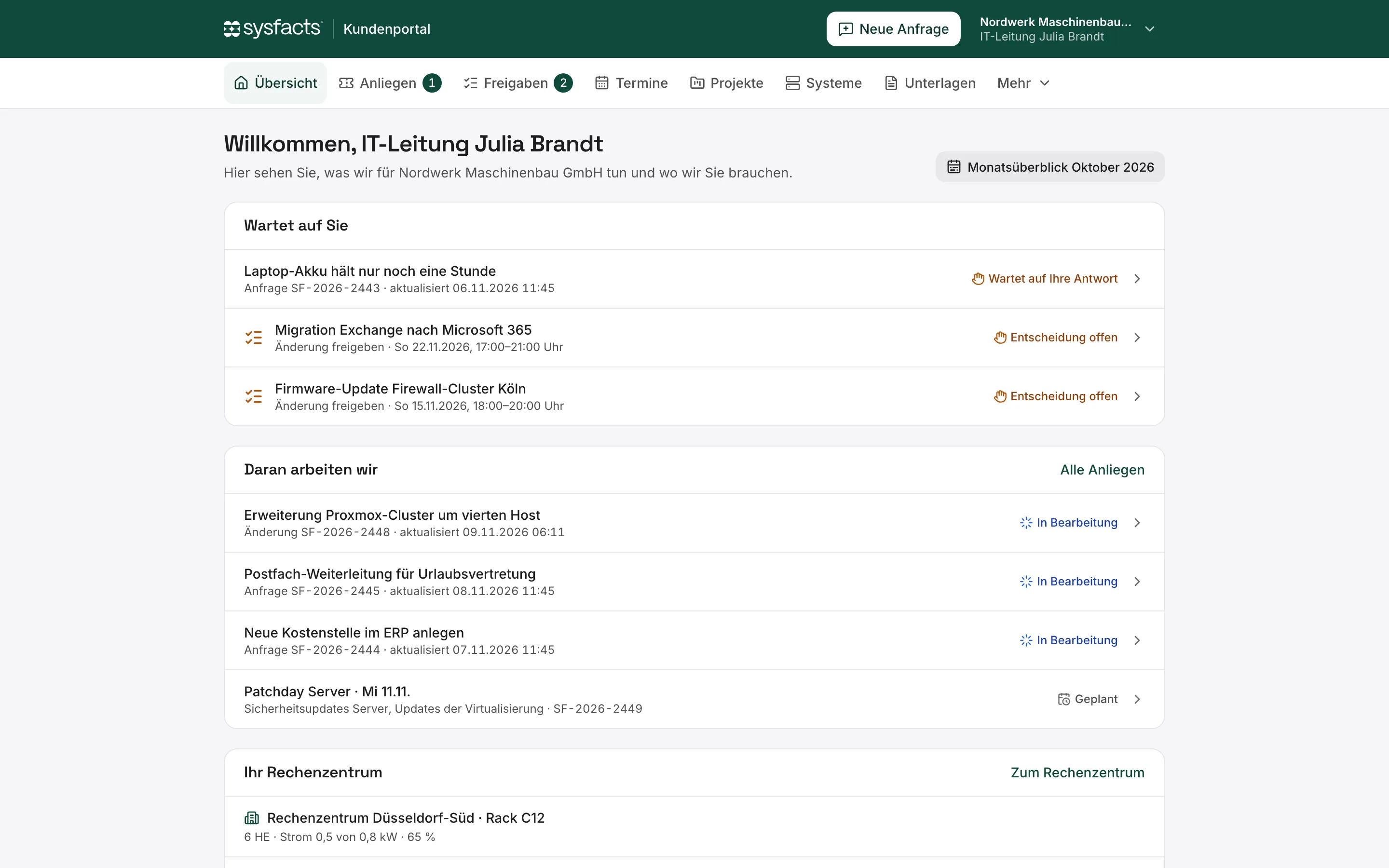
The overview separates pending questions and approvals from tasks we are already handling. Your IT team can see where its input is needed and track work in progress.
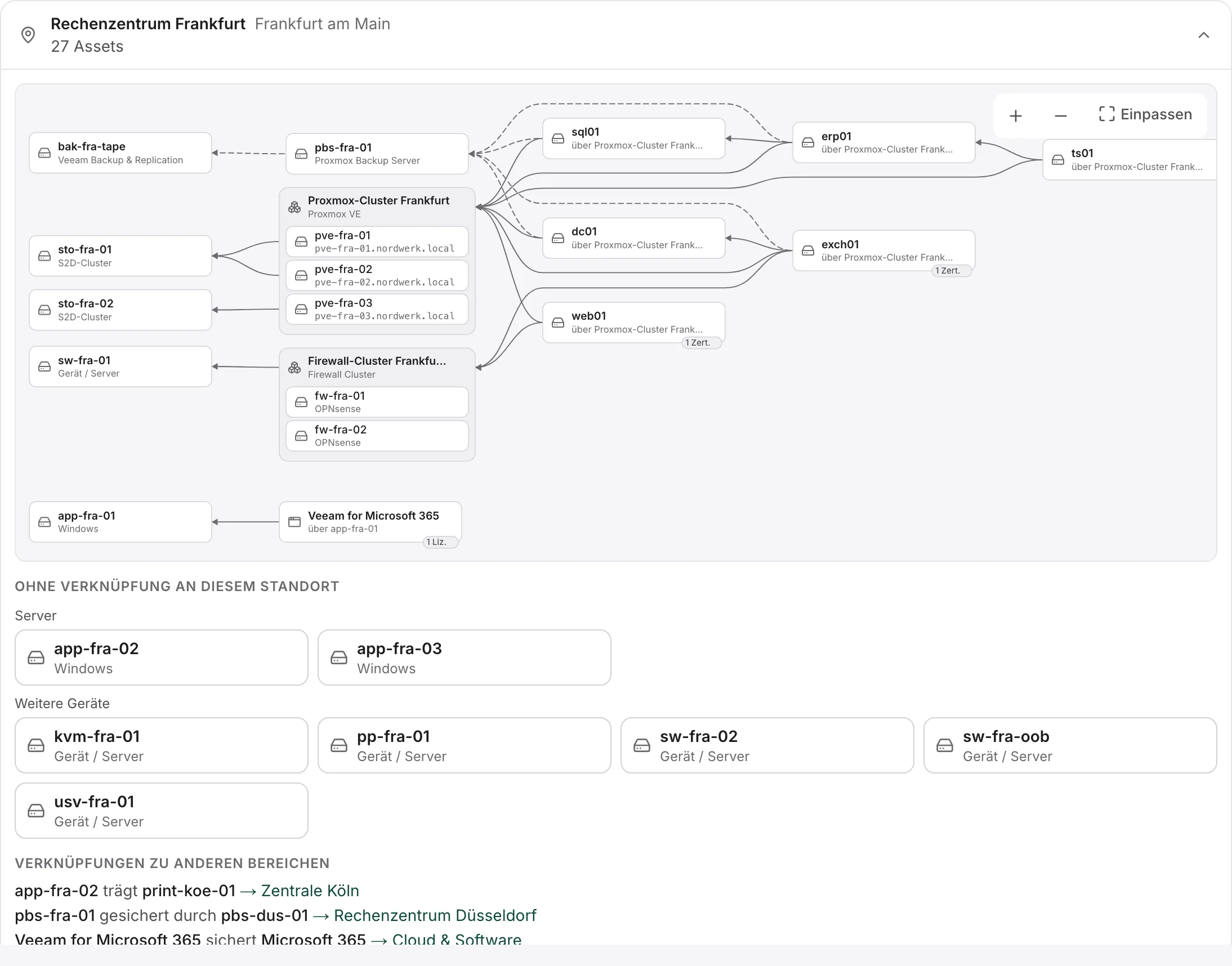
The asset graph connects clusters, servers, storage, networks and backup systems. Relationships with other sites are also visible. Your IT team can understand connected systems before making a change.
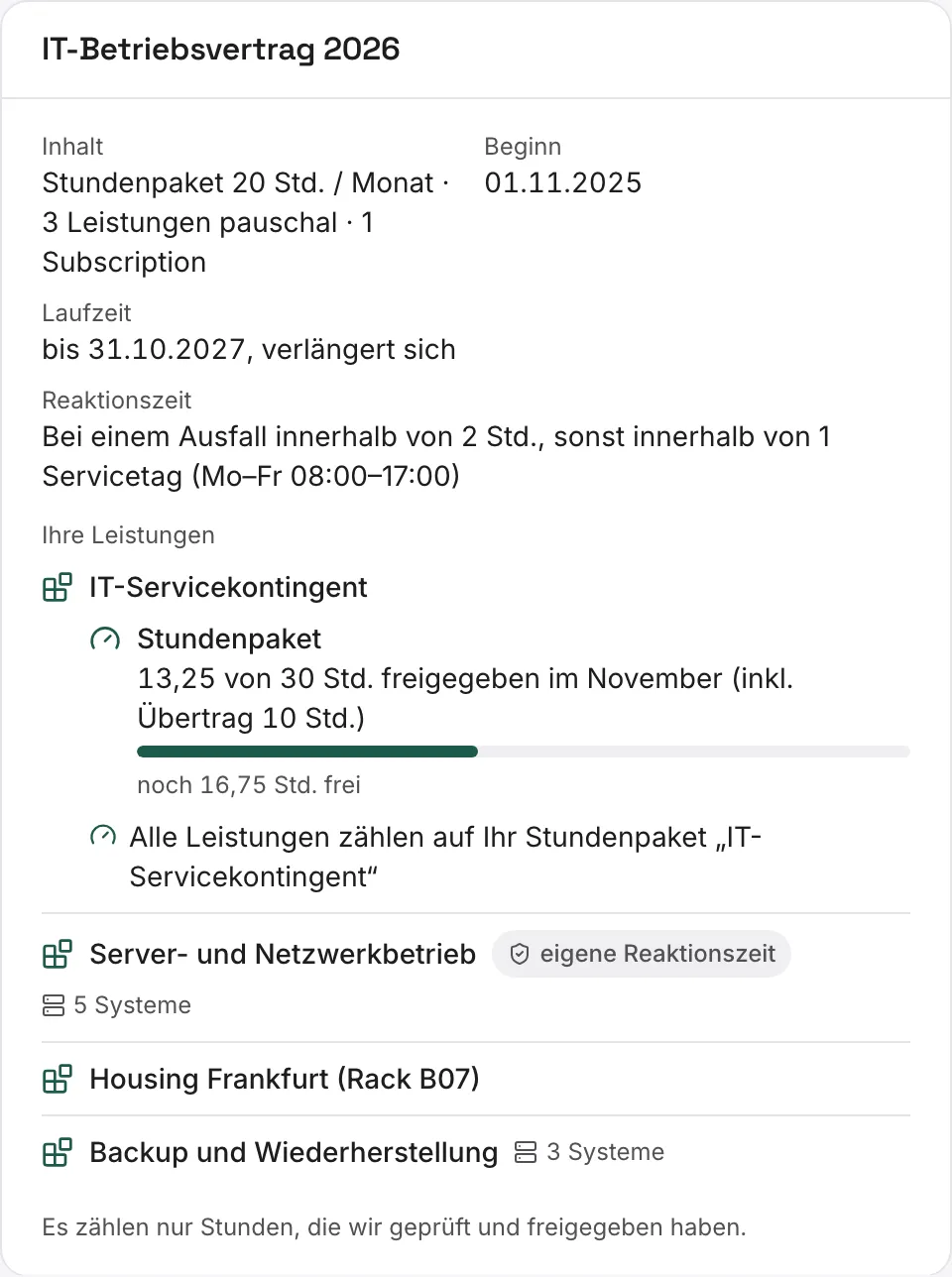
See which services and systems your contract covers and which response times apply. Track approved hours, hours carried over and your remaining balance.
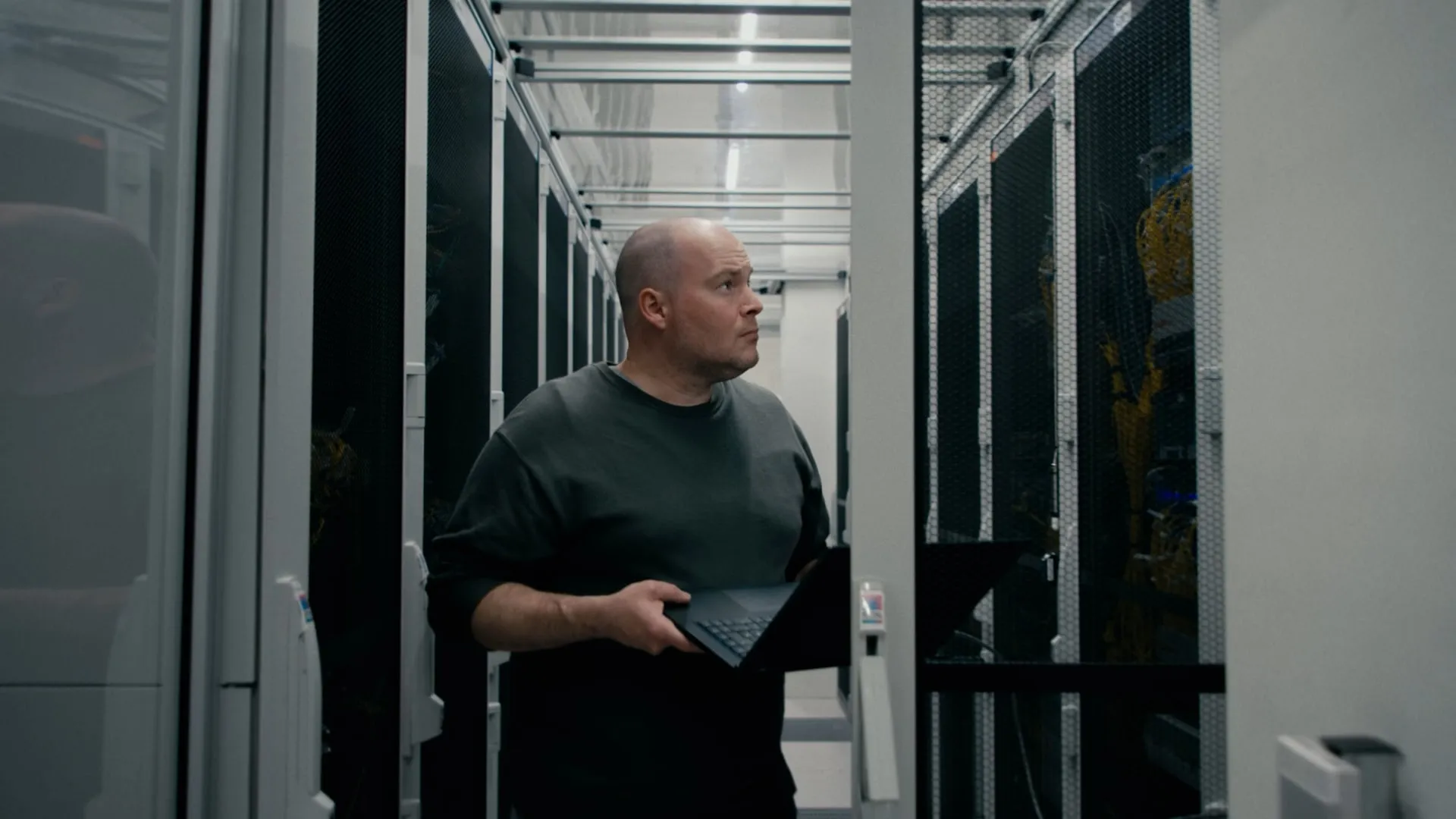
We operate your own systems or provide infrastructure for you. Hosting, colocation and backup can be combined as needed. SFOC is included with every service.
Your systems remain yours: on your premises, in space you rent from a data centre provider, or with Sysfacts Advanced Colocation. We take care of operations within the agreed scope. You do not need to relocate your systems or switch to hosting.
Explore this serviceYou use a dedicated Proxmox cluster. We procure, maintain and replace the hardware. Your sites can connect via dark fibre or a Sysfacts appliance.
Explore this serviceUse your own servers in Frankfurt’s FRA4 or FRA15 data centres. We provide networking, storage and backup as needed. Track your systems, resource usage and services through SFOC.
Explore this serviceManaged backup with Veeam or Proxmox Backup Server. Includes off-site backup across multiple locations and agreed recovery tests.
Explore this servicePower, cooling and connectivity must fit your business. In a professional data centre, you use existing infrastructure rather than maintaining it all at your own premises. We select and plan the environment with you.
Advanced Colocation is available at FRA4 and FRA15 in Frankfurt. Your own data centres can also form part of your operating model.
Digital Realty lists 2N UPS redundancy for FRA4 and FRA15. We plan the power supply for your systems accordingly, including power paths and required capacity.
FRA4 and FRA15 list N+1 cooling redundancy. Heat output, rack occupancy and growth are considered when housing your systems.
Dark fibre or our appliance connects your sites to the data centre. We plan bandwidth, hand-off points and separate connection paths around your applications and availability requirements.
Professional data centres combine controlled access with technical infrastructure. We agree who may work on your systems and how installation, maintenance and replacement are organised.
Facility details are provided by Digital Realty for FRA4 and FRA15. Your environment’s design and agreed availability are specified separately.
For every service, we define the systems we support, the tasks we take on and how we work together.
We document covered systems, tasks and responsibilities, including service hours, response arrangements and escalation paths.
We assess the environment and document outstanding requirements. We agree any preparatory work and when our responsibility begins.
Maintenance, alerts and changes follow agreed procedures. Recovery tests and service reviews are defined to match the scope.
The proposal separates infrastructure resources, ongoing support and additional work. You can see what is included and what requires a separate order.
We also agree handover arrangements for a future change: data, documentation, administrative access and each party’s responsibilities.

For START NRW, Sysfacts built the new platform and took over infrastructure operations. The customer retains IT governance.
How START NRW works with usWe can help you select a data centre and build your infrastructure, then take over operations. Responsibilities, documentation and processes carry forward. We also onboard existing environments following an assessment.
Review systems, responsibilities and required service hours together.
Assess the environment, identify open issues and define the proposed services.
Complete preparatory work, appoint contacts and confirm the start.

We discuss your systems, current responsibilities and required service hours. This determines what we need to assess before making a specific proposal.
A short description is enough. You do not need technical documents for the initial enquiry.